
01 no shadow inventory
Posts to the ledger
Every scan writes through Business Central's own posting engines — never a shadow table, never a sync job you take on faith. Then a second read confirms it landed.
Mobile barcode WMS · Microsoft Dynamics 365 Business Central
A mobile scanner app that runs inside Business Central's own web client — no separate server, no shadow database. Every scan posts straight into BC's inventory ledger, then WarehouseQ reads it back to prove it landed before telling the operator it worked.
$95/user/month · 3-seat minimum · 7-day free trial · label printing included
Nitrile Gloves, M
ITEM-3391 · LOT 240718 · Qty 24
Item Ledger Entry #48213
Purchase · Qty +24 · Lot 240718
A return code is a claim. A second read is evidence.
In 38 seconds
The whole idea, start to finish — a scan that posts through Business Central's own engines, and a second read of the ledger before anyone is told it worked.
Every scan writes through Business Central's own posting engines — never a shadow table, never a sync job you take on faith. Then a second read confirms it landed.
A scan taken during a signal drop near the dock doors holds in a durable on-device queue and flushes when you're back online. Each one carries a token Business Central uses to recognise a scan it already accepted, so a resubmission after a crash returns the original result instead of posting again.
The device only offers what Business Central will actually accept at that location. No button that silently fails — and a greyed tile always tells you why.
One app · every device · zero install
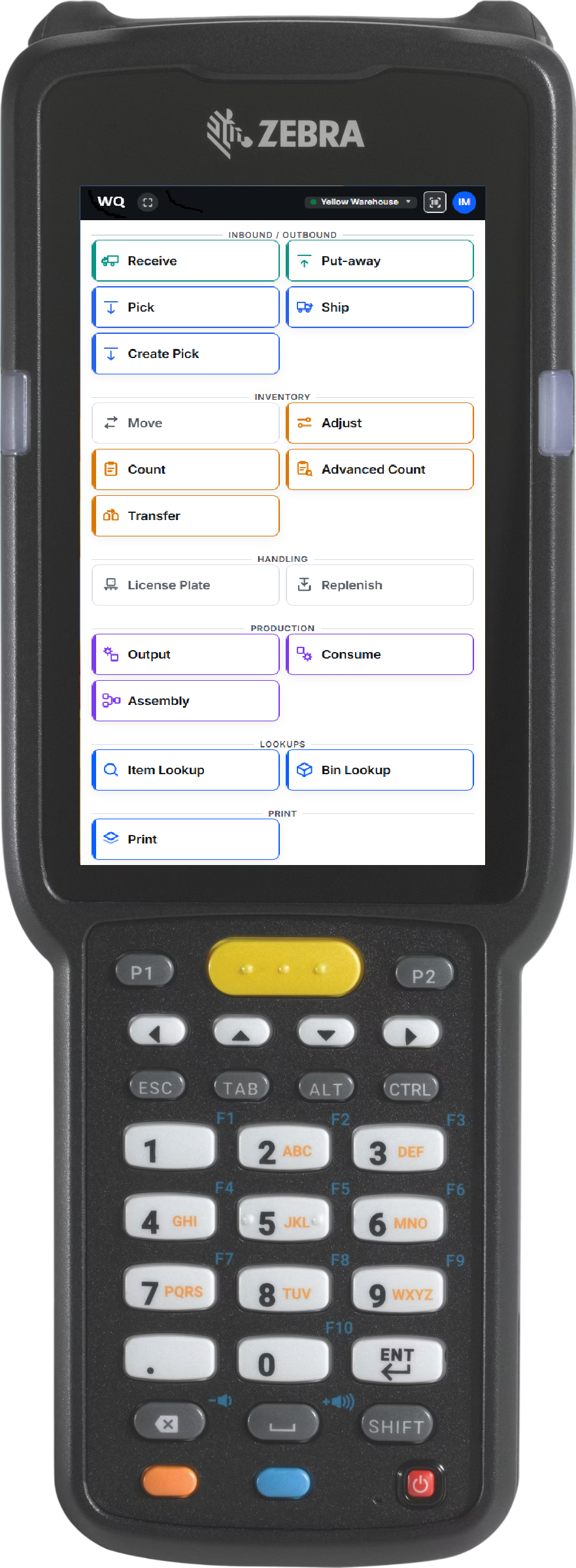
Because WarehouseQ lives inside Business Central’s web client, there is nothing to deploy to a device. It opens in a browser on a rugged scanner, a phone, or a tablet — and the operator menu fits every screen with no scrolling.
WarehouseQ runs inside Business Central’s own web client. Nothing to sideload, no MDM push, no app-store review — open BC in a browser and the scanner is there.
Updates ship server-side. Every device runs the version we published the moment we publish it — no per-device rollout, no “update your scanner” tickets, no fleet left behind.
The operator menu scales to the display — a 360-px rugged scanner, a 6.9″ phone, or a tablet — every button visible, nothing to scroll. Fit to screen is on by default.
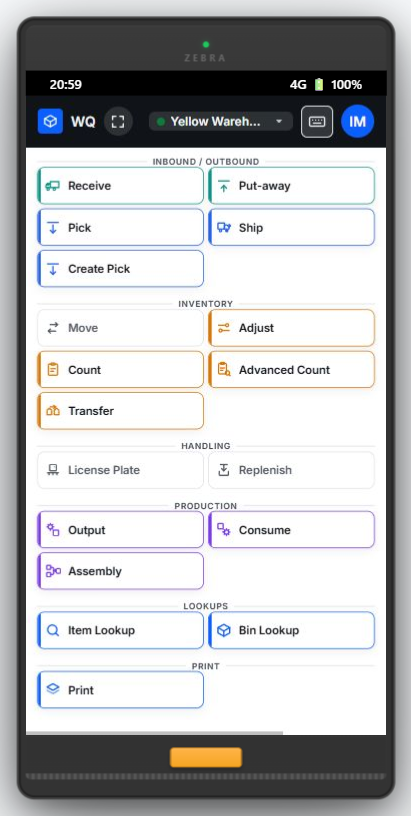
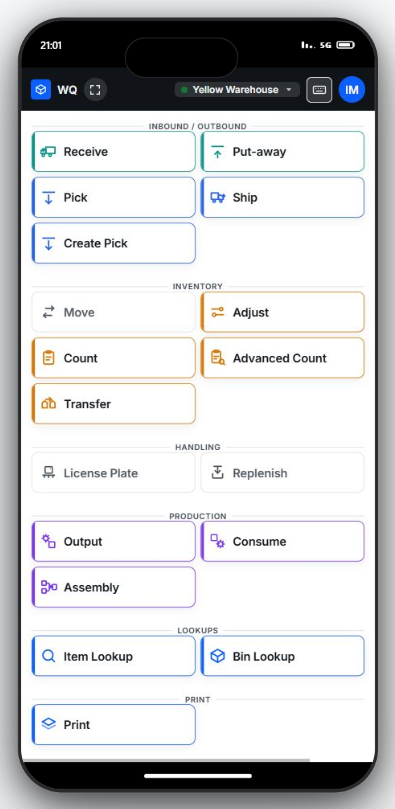
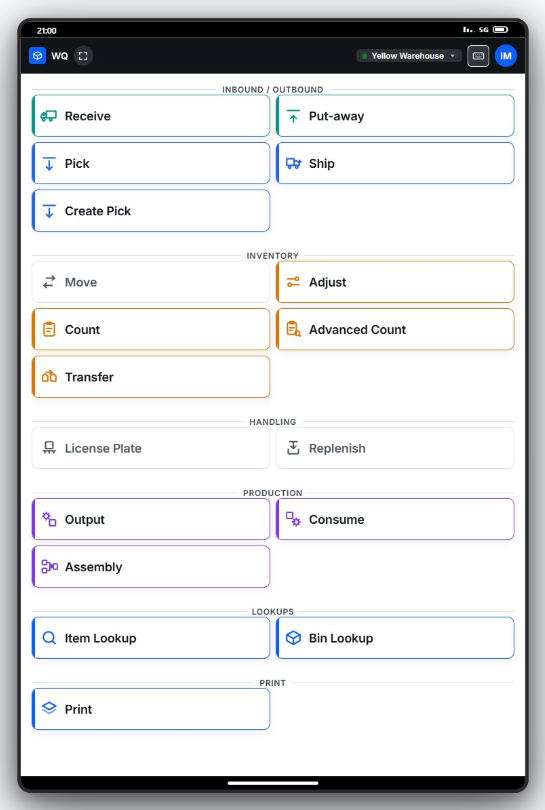
Zebra TC22 · Rugged Android scanner · 360 × 640 · fits, no scroll
The problem with most mobile WMS tools
Most scanner apps keep their own copy of your inventory and reconcile it back to Business Central later. That copy can drift, the sync can fail quietly, and a "success" message can mean nothing actually posted. WarehouseQ was built to remove the second copy entirely.
There is nothing to reconcile because there is nothing else to hold the truth.
How it works
Four steps, one source of truth. The difference is the last one — most tools stop at "it posted." WarehouseQ doesn't tell the operator it worked until it has read the proof back out of the ledger.
The scanner runs inside BC's own web client. No separate app to install, no separate sign-in, no separate server to stand up. Operators land on one tap-target menu.
The device shows only the operations Business Central will actually accept at that specific warehouse. Scan the item, the bin, the quantity — and the lot, serial or package if it's tracked.
The scan posts straight into Business Central's inventory ledger using the same posting engines BC uses everywhere else. Nothing is staged in a side database to be reconciled later.
Before the operator sees "posted," WarehouseQ re-reads the ledger and confirms the entry actually landed, with the right quantity and tracking. A return code is never trusted on its own.
Capabilities
WarehouseQ covers the operations a warehouse actually runs on, from receiving at the dock to picking, shipping and cycle counting — each one posting into the ledger and verified before it reports success.
Tracking flows through Business Central's own reservation mechanism — the same path BC itself requires — so lot, serial and package data survives the post instead of quietly dropping. Correct expiry dates feed BC's FEFO picking, so the oldest stock goes first.
Every operation carries a device token and a durable on-device queue. A scan taken during a signal drop holds on the device and flushes when you're back online; the token lets Business Central recognise a repeat, so a resubmission returns the original result rather than posting again. Anything genuinely ambiguous is parked for a supervisor, never silently retried.
Compose GS1-128 shipping and content labels — GTIN, lot, expiry, quantity, SSCC — and route them to your label printers through a dedicated Windows print client. Built to speak the standard your carriers and customers already expect.
Look up any item or bin's on-hand quantity from the floor, in real time, read straight from Business Central. No stale side-copy, no "let me check the office."
Who scanned what, from which device, and the outcome — a permanent record the posting logic never reads back from, so it can never become a second, driftable copy of inventory truth.
A manager reads the whole floor from a desktop dashboard; a worker taps one tile on a phone — into the exact same ledger-backed operation. One warehouse, two doors, no second system.
Every warehouse type
Business Central supports five distinct warehouse configurations, from a single-bin site to a fully directed operation. Each rung asks Business Central to be told more about the journey before it agrees the journey happened. WarehouseQ recognises which rung a location is on and computes the operator's menu from what BC will actually accept there.
The ladder is about proof, not size. A higher rung isn't automatically better — it's matched to what your floor needs to prove.
Basic
No bins, no directed tasks. The simplest sites.
Manual Pick / Put-away
Task-driven movement, not bin-tracked.
Warehouse Receipt / Shipment
Dock documents required at receiving and shipping.
Bin-mandatory Pick / Put-away
Every location a numbered bin, task-driven.
Directed Put-away & Pick
Business Central's most demanding configuration.
Pricing
Priced for warehouses that share handhelds across shifts. Per active user, not per device sitting in a drawer — and there's no new system to stand up.
No shadow database to license, no connector server to host. WarehouseQ runs inside the Business Central you already pay for.
FAQ
Built to be correct first, not to have the most buttons. Here's what that means in practice.
No — and that's the point. Every scan posts through Business Central's own posting engines directly into the inventory ledger. There is no shadow database and no reconciliation job, because there is nothing else holding the truth. The number on the floor is the number in your books.
The operation is saved on the device and resolves to exactly one post once you're back online — never zero, never two — even if the app or the connection drops mid-submit. Anything genuinely ambiguous is parked for a supervisor to review rather than silently retried.
No. WarehouseQ runs inside Business Central's own web client. There's no separate app to install on a handheld, no separate sign-in, and no separate server to configure. Operators open one tap-target menu and start scanning.
All five configurations, from Basic through Directed Put-away & Pick. WarehouseQ recognises which setup a location uses and shows the operator only the operations Business Central will actually accept there — never a button that silently fails.
Yes. Tracking is carried through Business Central's own reservation mechanism, so lot, serial and package data survives the post instead of being dropped. Correct expiry dates feed BC's FEFO logic so the soonest-to-expire stock is picked first.
WarehouseQ is published on Microsoft AppSource. Install it into your own Business Central and start a trial from the listing. If you would rather talk it through first, use the form below and we'll walk your floor through it. It's built for Business Central online (SaaS).
On Microsoft AppSource
WarehouseQ is published on Microsoft AppSource. Install it into your own Business Central and start a trial from the listing, or tell us about your floor and we'll walk it through with you.